kawanhoki Mobile App
Mobile devices dominate entertainment access across Southeast Asia. We at kawanhoki recognise that most users reach our platform—sportsbook markets, live-dealer tables, slot games, and esports entertainment—via smartphone or tablet rather than desktop. Our mobile offering is built to reflect this reality: fast load times, intuitive navigation, and seamless payment integration across local methods including DANA, e-wallet, mobile banking, and local payment.

- and
- Installin
- Update
We offer three paths to access kawanhoki on mobile. Android users can download our native APK, which provides offline functionality and push notifications for live events and market updates. iOS users access kawanhoki through the mobile browser—no app store submission required. Users on any device can also use our web application, which adapts to smaller screens and works across all modern browsers. Each path delivers the same core experience: live blackjack, roulette, baccarat, Dragon Tiger, and Sic Bo studios, plus football coverage (Liga 1, Piala AFF, Premier League), slot games, and Mobile Legends tournaments.
Our services are available only where local law permits. Users are responsible for verifying that access and use comply with their own jurisdiction's regulations. Once verified through our KYC process, you can deposit via bank transfer, online payment, or the payment apps mentioned above, then navigate to live tables or sportsbook markets without restriction.
Getting started with kawanhoki on mobile
Your access options
We provide three distinct installation and access methods. Choose the one that suits your device and preference:
All three paths connect to the same kawanhoki account
Your login credentials, wallet balance, account history, and betting records are shared across Android, iOS browser, and web app. Switch between devices without losing access to your account or funds.
Installation walkthrough
- Download the APK (Android) or open kawanhoki.app (iOS / web). Android users visit our site, locate the APK link, and tap to download. iOS and web users navigate directly to kawanhoki.app in Safari, Chrome, or your preferred browser.
- Install or save to home screen. Android: tap the downloaded file, accept permissions, and follow the installation prompt. iOS / web: tap the share icon, select "Add to Home Screen" to create a shortcut, or simply bookmark the page.
- Create or log into your kawanhoki account. First-time users open the registration form, enter email or phone number, set a password, and complete KYC verification (ID upload and selfie). Existing users enter credentials and sign in.
- Add funds and begin. After login, navigate to the deposit section, choose a payment method (DANA, e-wallet, mobile banking, local payment, online payment, e-wallet, or bank transfer), enter the amount, and confirm. Funds appear in your wallet within seconds to minutes.
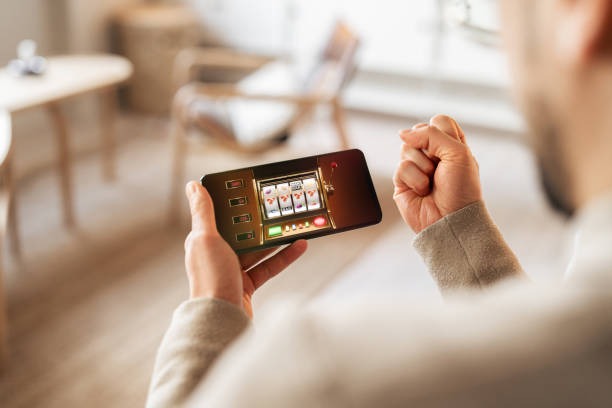
Native app versus browser experience
Android APK strengths
- Offline caching: view game history and account summary without internet connection
- Push notifications: instant alerts for live-dealer table availability and sportsbook market changes
- Consistent performance: optimised for Android 7+ devices with minimal battery drain
- Quick access: home-screen icon launches the app directly without browser overhead
Browser and web app strengths
- Universal access: works on iOS, Android, and any device with a modern browser
- No installation: tap a link and begin; no app store approval or storage space needed
- Responsive design: automatically scales to any screen size from small phones to tablets
- Automatic updates: new features deploy instantly without waiting for app store review
Both methods connect to the same kawanhoki account and offer access to live-dealer tables (blackjack, roulette, baccarat, Dragon Tiger, Sic Bo), sportsbook markets (Liga 1, badminton, MotoGP), slot games (Aviator, Sweet Bonanza, Gates of Olympus), and esports tournaments (Mobile Legends, Free Fire). The choice between native app and browser is primarily a matter of personal workflow—iOS users have no app option and must use the browser, while Android users can choose based on notification preferences and offline functionality needs.
Device compatibility
Our kawanhoki mobile experience requires Android 7.0 (API 24) or higher for the APK, and iOS 12.0 or higher for browser access. Most devices in circulation meet these thresholds. We recommend a minimum of 2 GB RAM and a stable internet connection (3G or better) for smooth live-dealer video streaming. Older or lower-end devices may experience delayed video or reduced table availability, but the core experience—registration, deposit, sportsbook access—remains functional even on constrained connections.

Troubleshooting common installation issues
Android users downloading the APK may encounter a security warning about "unknown sources." This is normal; enable the "Install from unknown sources" option in your device settings under Security or Applications. Some devices block installation until you confirm you trust the source. After installation, you can disable the setting again. iOS users may see a warning that kawanhoki.app is "not verified by Apple." This is expected for web apps accessed through browsers; simply proceed to the site by tapping "Visit Website" or confirming in Safari. No jailbreak or special configuration is required. For both platforms, ensure you are downloading or accessing kawanhoki only through official links on this domain—never use third-party APK sites or redirects, as these may contain modified or malicious versions.
Mobile security, permissions, and account management
- Data and cookies
- We store your login token and basic account settings locally on your device. Your payment details are never stored; they are transmitted securely to our payment processor each time you deposit or withdraw.
- App permissions (Android)
- The kawanhoki APK may request internet, camera (for KYC selfie upload), and notification permissions. You control all permissions in your device settings and can revoke them at any time.
- Two-factor authentication
- After registration, we recommend enabling 2FA in your account settings. This requires a one-time code (sent via SMS or email) each time you log in from a new device, adding a layer of protection against unauthorised access.
- Session timeout
- For security, we automatically log you out after subject to verification of inactivity. Withdrawal requests require re-authentication. This prevents accidental fund transfers if your device is left unattended.
We use SSL encryption for all communication between your mobile device and our servers. Your kawanhoki account credentials are hashed and stored securely; we never see your plain-text password. When you log in, we issue a secure session token that expires after each logout. Payment data—DANA, e-wallet, mobile banking, local payment, online payment, e-wallet, mobile banking, local payment, online payment, e-wallet account details—is handled by our PCI-compliant payment partners, not stored locally on your phone.
If you suspect your account has been compromised, visit the "Security" section in your account settings, review login history, and revoke any sessions you do not recognise. You can also change your password and reset two-factor settings. Contact our support team via the in-app chat feature if you need assistance with account recovery or believe a withdrawal was made without your consent.
Account security
SSL encryption, hashed passwords, session tokens
Payment safety
PCI-compliant partners handle all transactions
Device permissions
You control all camera, location, and notification settings
Push alerts
Opt-in notifications for live events and account activity
Mobile experience across regions and seasons
kawanhoki services are jurisdiction-restricted. We operate only where local law permits. Users in Jakarta, Surabaya, Bandung, Medan, and Semarang can verify their location and access status through the account settings. During major events—Liga 1 season, Piala AFF tournaments, Idul Fitri and Idul Adha holidays, and Imlek / Nyepi periods—our sportsbook markets and live-dealer tables maintain consistent availability, though market odds and table limits may vary. We do not make guarantees about uptime or market coverage; access depends on your jurisdiction, local regulations, and your account status. If you have questions about availability in your area, contact our support team through the app.